PDF tools: compress, encrypt, delete and extract pages
in 3.7 pre-rel
New commands, in the command palette and a new Document submenu of the page’s right-click menu:
- Compress PDF / Decompress PDF (
CmdPdfCompress,CmdPdfDecompress) - Delete Pages From PDF (
CmdPdfDeletePages) - Extract Pages From PDF (
CmdPdfExtractPages) - Encrypt PDF (password protection with AES-256,
CmdPdfEncrypt) - Decrypt PDF (removes the password,
CmdPdfDecrypt)
Page ranges accept
8- as a shorthand for “page 8 to the end”.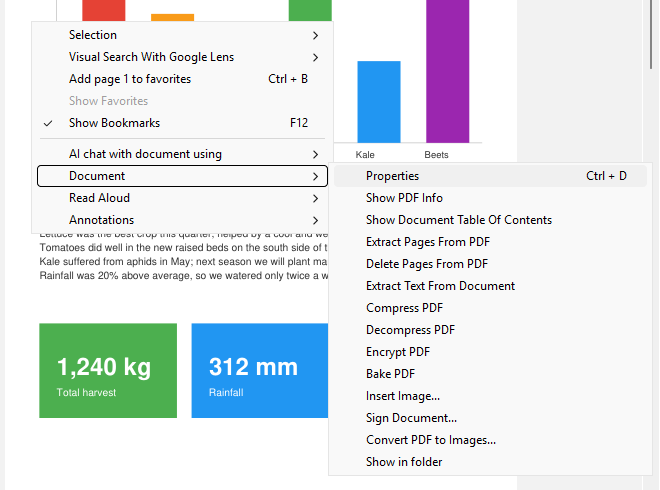
Toolbar and menu in fullscreen
The new
Fullscreen.Toolbar (show, hide or overlay) and Fullscreen.ShowMenubar advanced settings show the toolbar and menu bar in fullscreen mode. F8 / F9 toggle them while in fullscreen. The right-click menu in fullscreen also contains the full main menu (#1565).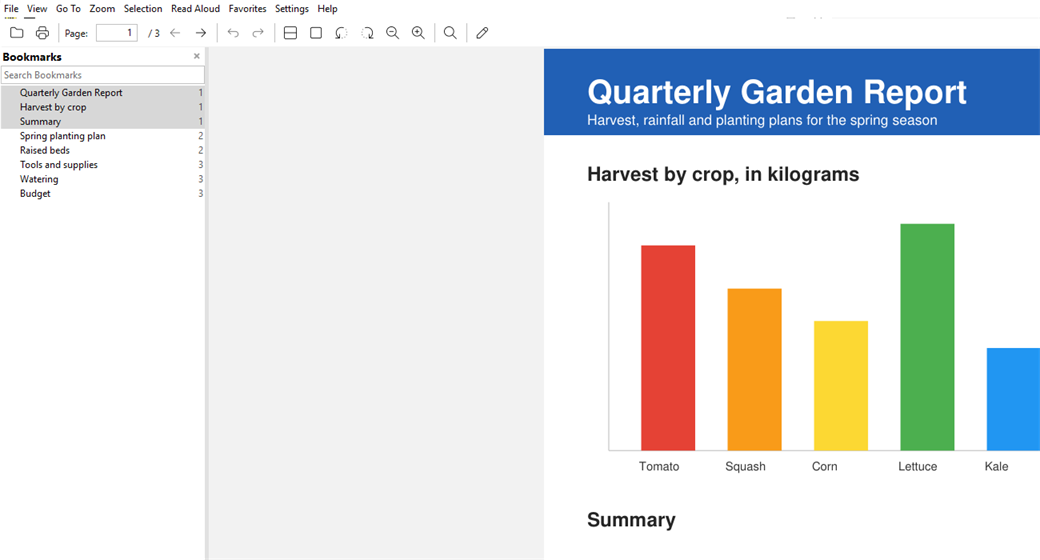
Global screenshot hotkey
Set Screenshot Hotkey (
CmdSetScreenshotHotkey, command palette) sets or removes a system-wide hotkey for taking screenshots (#5518).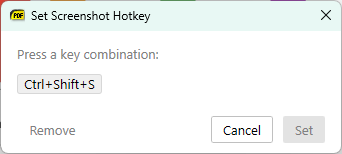
Save PDF attachments
Saving file attachments from PDFs works again: right-click a file attachment and choose Save Attachment (#1455).