Open Markdown files
in 3.7 pre-rel
SumatraPDF can open and view Markdown documents (
.md, .markdown), rendered as formatted text with GitHub Flavored Markdown (tables, task lists, strikethrough). The installer registers the file association. This comes with an update of the MuPDF rendering engine to 1.28.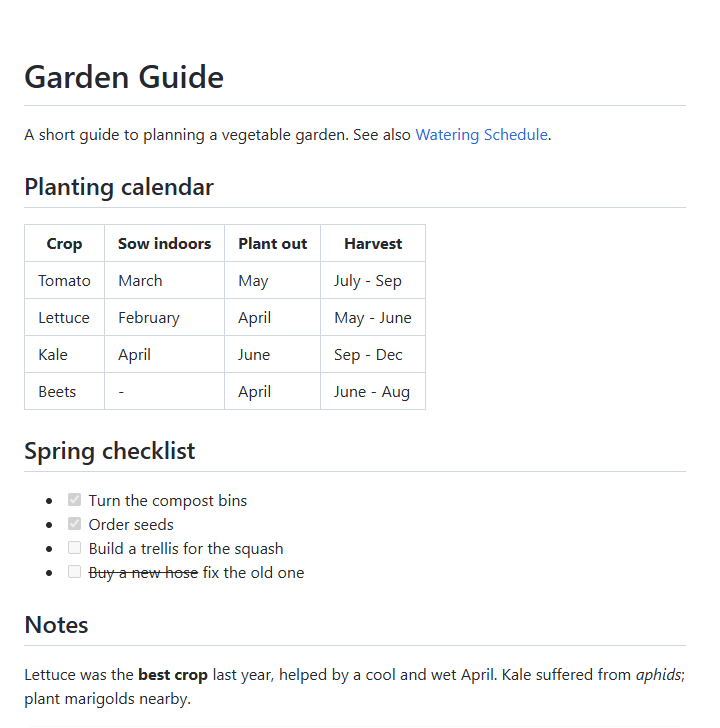
Fill in PDF forms
PDF forms can be filled in directly: click checkboxes and radio buttons, type into text fields in place, pick values from combo boxes and list boxes, and move between fields with
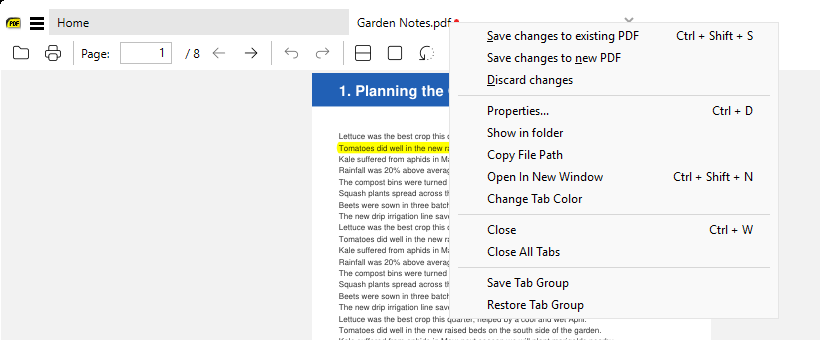
Tab / Shift + Tab. Form calculations written in JavaScript run; turn PDF JavaScript off with the new DisableJavaScript advanced setting. Filled forms are saved like annotations, and the close prompt now says “Unsaved changes”.Save or discard from the tab context menu
Right-clicking a tab whose document has unsaved changes (filled forms, new annotations) shows Save changes to existing PDF, Save changes to new PDF and Discard changes at the top of the menu.
Match whole word in Find
The Find bar has a new Match whole word toggle next to Match Case, so searching
cat won’t match category (CmdFindToggleMatchWholeWord) (#4295).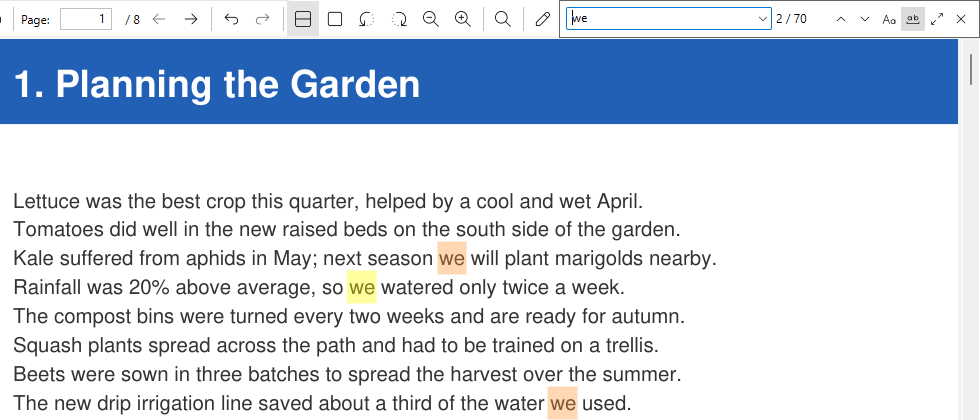
Smoother find-as-you-type
Find-as-you-type now waits briefly after you stop typing before searching (500 ms, or 1 s for 1-2 characters) instead of searching on every keystroke. Press
Enter to search immediately (#4626).Go to next / previous favorite
New Go to Next Favorite and Go to Previous Favorite commands (
CmdGoToNextFavorite, CmdGoToPrevFavorite, Ctrl + K command palette) jump to the nearest favorite page after or before the current page (#3744).Paste an image from the clipboard as a stamp
You can paste an image from the clipboard into a PDF as an image stamp annotation: right-click → Annotations → Create Under Cursor → Image From Clipboard, or Create Image Annotation From Clipboard (
CmdCreateAnnotImageFromClipboard) in the command palette. The stamp is placed at the click point and selected so you can move or resize it (#3671).