Fit Height zoom mode
in 3.7 pre-rel
The new Fit Height zoom mode (View / Zoom menu, command palette
CmdZoomFitHeight) scales the page so its height fills the window. You can also use it with -zoom fitheight, the fit height setting value, and DDE zoom -6 (#1714).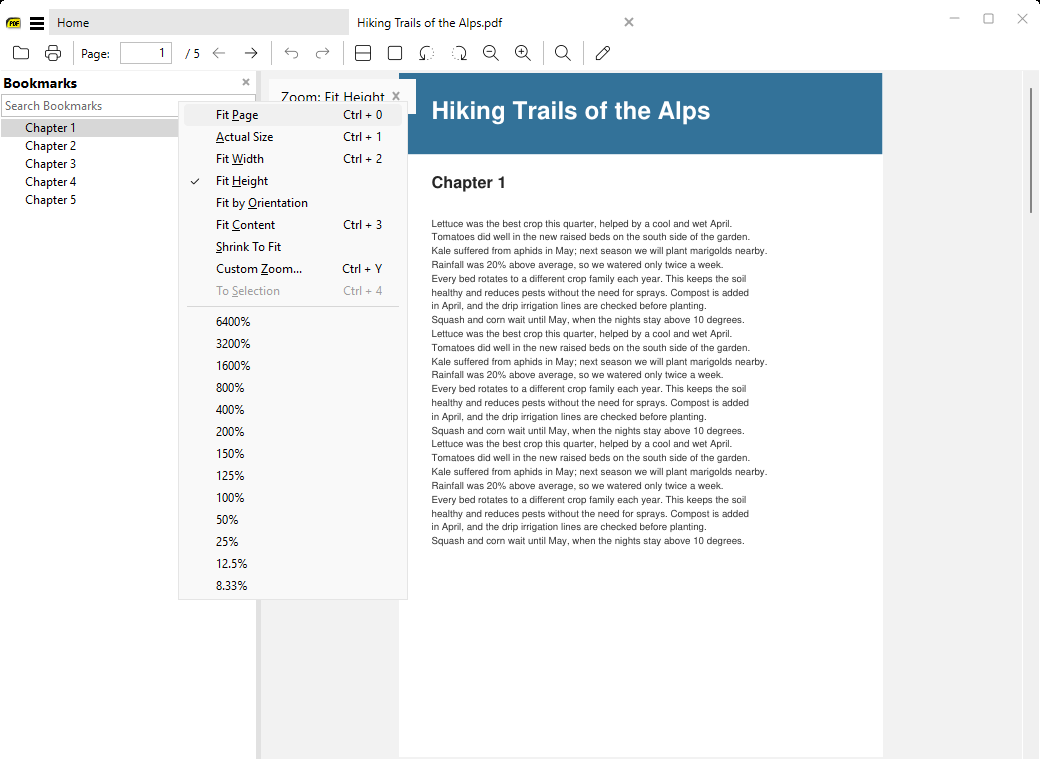
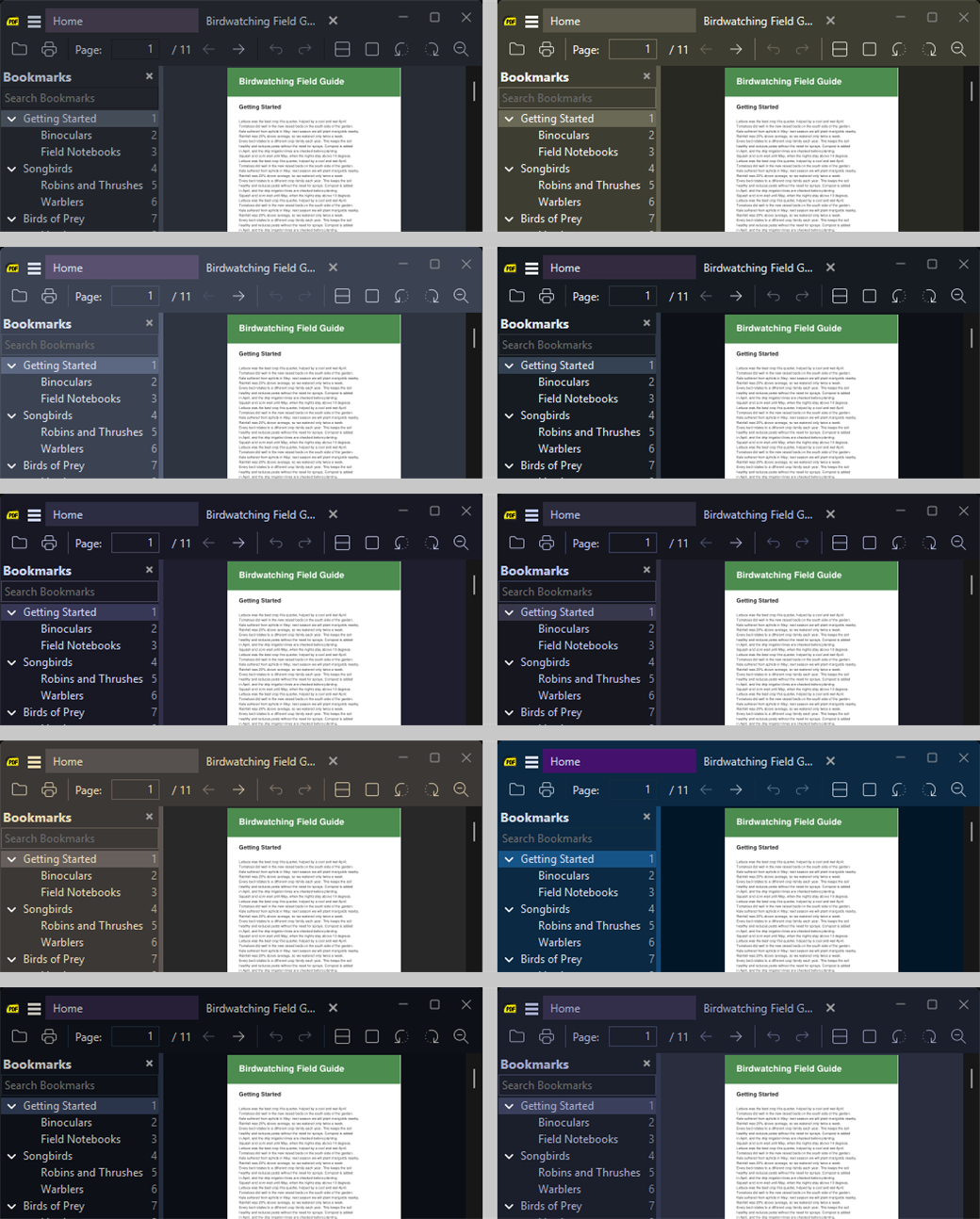
New built-in themes
New themes: One Dark, Monokai, Nord, GitHub Dark, Catppuccin Mocha, Tokyo Night, Gruvbox, Night Owl, Ayu and Palenight. Themes can also set their own colors for disabled, hover and edge states. The Darker theme was merged into Charcoal, and settings that still use the old name keep working.
Favorites in a tab, with search and sorting
Favorites can open in a full-window tab (
CmdFavoriteShowInTab, “Show Favorites in Tab”), so long names and paths fit. Both the sidebar and the tab have a search box that highlights matches. Favorites can also be sorted by name instead of page number, with SortFavoritesByName or the Sort By Name item in the tree’s context menu (#2277). You can now drag the sidebar wider than half the window.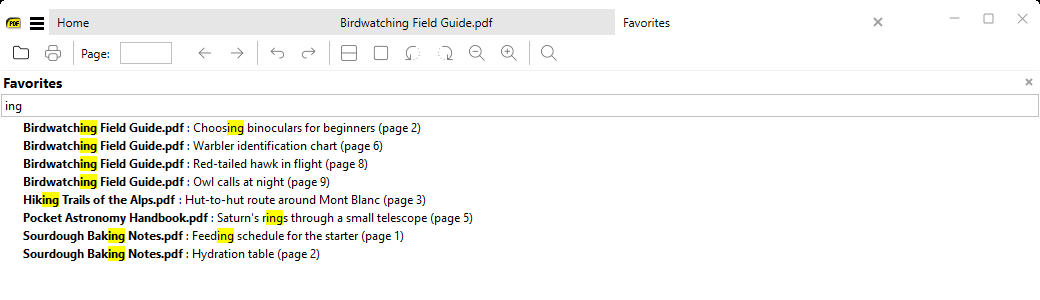
Bookmarks improvements
The Bookmarks sidebar shows page numbers right-aligned on each entry (turn off with
ShowTocPageNumbers = false) (#3288). New context menu items: Collapse Same Level (#1895) and Expand to Level 1/2/3 (#5239). All bookmarks that point to the current page are highlighted (#4642). The search box got better keyboard handling.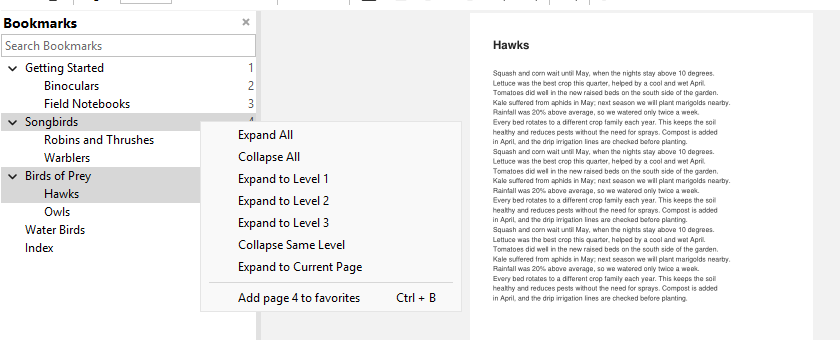
Screen reader access to document text
Screen readers (Narrator, NVDA and other UI Automation clients) can now read the text of PDF, XPS and DjVu documents in release builds (#321).
Page size in several units and more page info
Document Properties now shows the page size in cm, mm, inches and points (#2186). For FB2 books it also shows the book’s annotation as Subject (#2254). For images, the page-info tip (
I) shows the file name, size, resolution and DPI (#4456), and the tip now stays on when you switch tabs or visit the home page (#4454).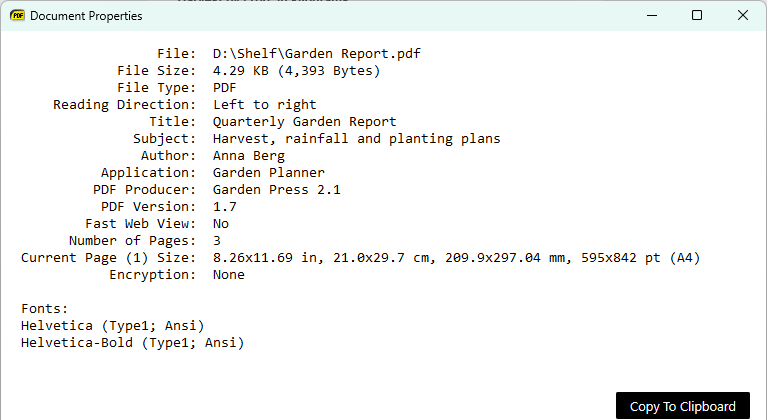
Search start remembered as favorite
When you start a search with
Ctrl + F, the current page is remembered as the favorite /. You can jump back to it from Favorites or with the $ mode of the command palette (#5726).Manga mode reverses Left / Right
In manga (right-to-left) mode, the Left / Right arrow keys and horizontal swipes are reversed, so Left goes forward (#3964).
-new-window with several files opens one window
-new-window with several files now opens one new window with a tab for each file, instead of a separate window per file (#5044).PDF open action and destination zoom
New advanced settings
Search ignores hyphens at line ends
Search now finds words that are split with a hyphen at the end of a line, or that contain soft hyphens (#1189).
Zoom menu marks custom zoom levels
With custom
ZoomLevels, the Zoom menu now shows a mark next to the current level when you zoom with +/- (#5832).