Next-file hint at end of document
in 3.7 pre-rel
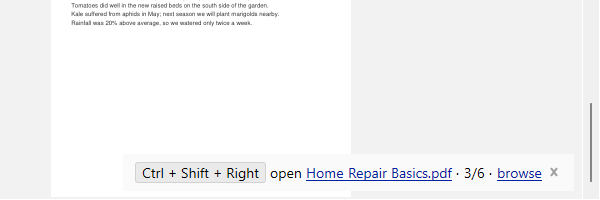
When you scroll down past the end of a document, a notification tells you what the next file in the folder is and which shortcut opens it. It shows the file’s position (n/m) and a link to Navigate Files in Folder. Opening the next or previous file no longer wraps around at the folder’s ends, and the tab shows the standard loading message while the file loads.
Delete Cached Files command
The new
CmdDeleteCachedFiles (“Delete Cached Files”) command deletes the local cache of comic books copied from network drives.Network copy progress in the tab
When opening a comic book from a network drive, the tab being loaded shows the copy progress and elapsed time.
Esc closes documentation and tool windows
Esc now closes the Documentation window, the PDF tools dialogs, and the PDF Info / Errors text windows (#5856).