Navigate Files in Folder stays open
in 3.7 pre-rel
Navigate Files in Folder (
Ctrl + Shift + Up) is now a normal window that stays open. Before, it was a popup that closed when it lost focus or after you opened a file. Enter / double-click replaces the document in the current tab, and Esc or the close button closes the window.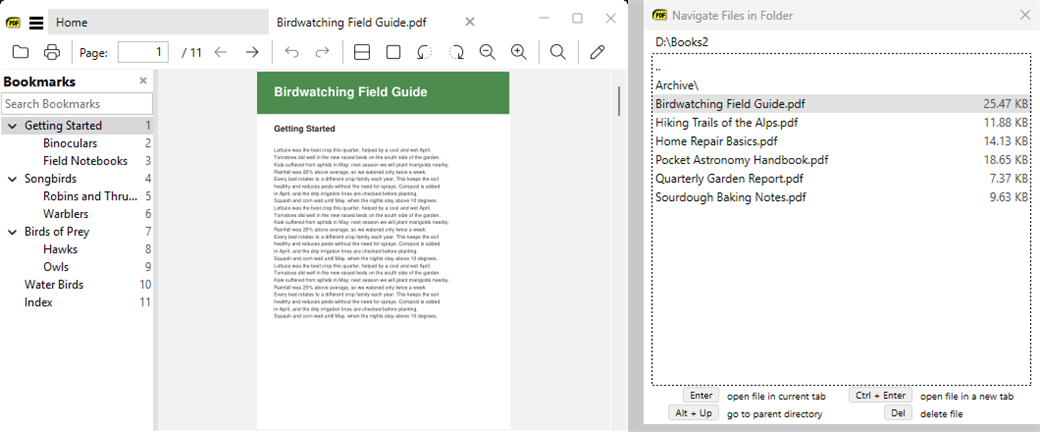
Fullscreen toolbar mode setting
The new
Fullscreen.Toolbar advanced setting sets how the toolbar appears in fullscreen: show, hide or overlay, the same values as Toolbar. In Advanced Settings, this and other fixed-value settings (such as PrintScale and Collate) now have drop-down lists of their allowed values.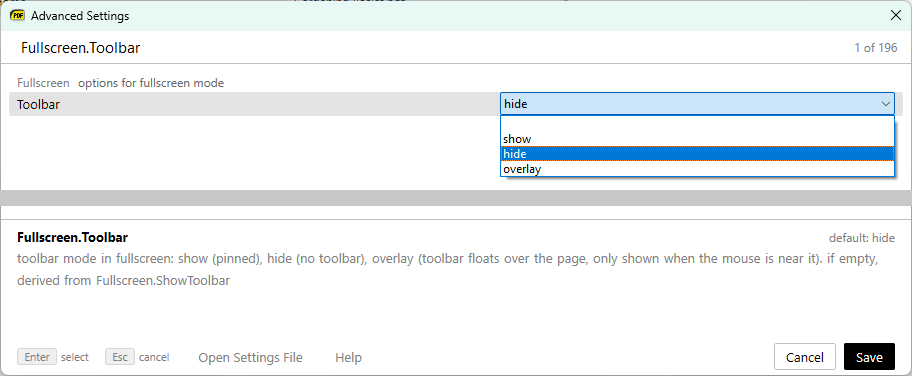
Resizable compact Find bar
To make the search field of the compact Find bar wider or narrower, drag the bar’s left edge.
Home page keyboard navigation
You can now move through the home page’s recent files with the arrow keys. A ring marks the selected entry, and its tooltip shows the full path and size. Pressing Down in the search box moves into the list, and pressing Up from the first row goes back to the search box (#1136). When empty, the search box shows how many files there are (“Search N files (Ctrl + F)”). List view also uses tighter rows without thumbnail frames, so about 20% more files fit on screen.
Tab tooltips show full path and size
Tab tooltips now always show the file’s full path and size.

Clearer pre-release update notification
When a newer pre-release build is available, the notification now says “Version 3.7. available”.
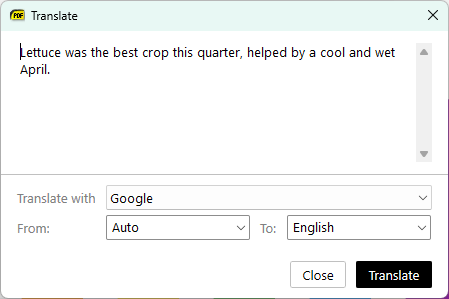
Translate dialog layout
The Translate Selection dialog now puts the source and translation text at the top, with the engine and language controls below them. The dialog can also be resized.