Chapters in ebooks are optional
in 3.7 pre-rel
Chaptered ebooks (EPUB, MOBI) now show one page number for the whole book in the toolbar, Go to Page and the page tooltip. To show the chapter and the page within it instead, set
ShowChaptersInEbooks = true. Either way, your position is saved as a chapter bookmark, and Next / Previous Page go across chapters. Books still open fast: only the chapter you were reading is laid out right away, and the page total updates once the other chapters are counted in the background.File → Open submenu
The File menu has an Open submenu with Open…, Open using Windows File Picker…, Open using SumatraPDF File Picker… (
CmdOpenFileWithSumatraFilePicker, always the Navigate Files in Folder window), the Use SumatraPDF File Picker check (moved from the Settings menu), Next / Previous File In Folder and Browse Files In Folder…. Delete and Open Next File, Save Annotations to existing PDF, Convert PDF to Images…, Apply Redactions, Insert Image… and Sign Document… are no longer in the File menu. They are still in the command palette (and the last four in the right-click Document submenu), with the same shortcuts.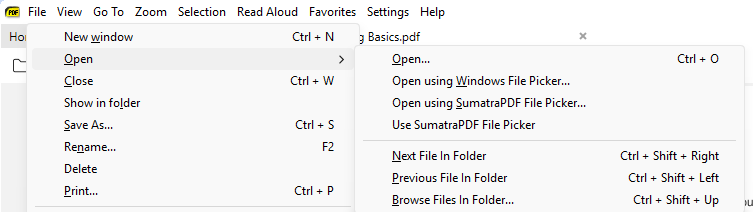
Translate with and Search with submenus, Select Current Page
The Selection menu and the selection context menu group web services into Translate with (Google, DeepL, Grok Build, Claude Code, OpenAI Codex, Antigravity) and Search with (Google, Bing, Wikipedia, Google Scholar) submenus. Both menus have the items in the same order. New Select Current Page (
CmdSelectCurrentPage) selects the text of the current page only, while Select All selects every page.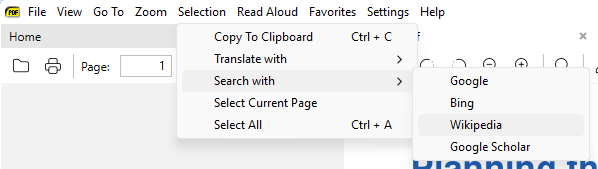
Zoom: Fit Visible
New Zoom: Fit Visible (
CmdZoomFitVisible, Zoom menu, command palette) fits the page content to the window width, cutting the blank margins down to 2 pt, and scrolls vertically. It’s like Fit Width without the margins (Foxit’s Fit Visible). z cycles to it after Fit Content. It also works as -zoom "fit visible" and as fit visible in the DefaultZoom settings, and PDF links to a FitBH destination now use it (#6241).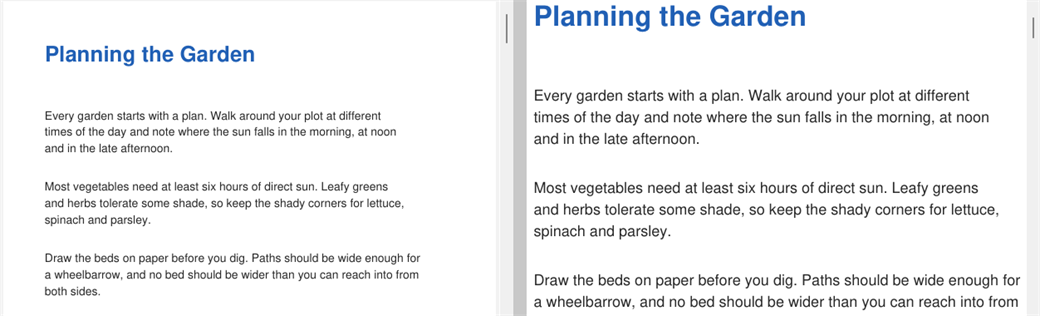
Manual theme switch and Ask a question
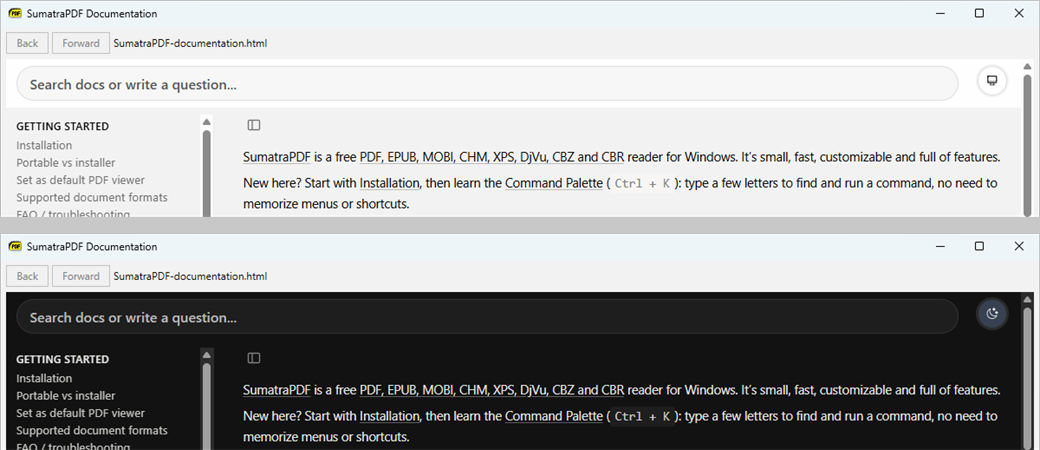
The Manual (F1) has a theme switch in its top right corner: light, dark, or follow the app’s theme (the default), remembered in the
HelpTheme setting. A search bar stays at the top of the page. Besides searching the docs, it can send a question to Grok, ChatGPT, Claude, Perplexity or Copilot in your browser, with the SumatraPDF documentation as context (#6237).