Merge PDF window
in 3.7 pre-rel
New Merge PDF window (right-click → Document → Merge PDF…,
CmdMergePDF, command palette) shows a PDF’s pages as thumbnails. Add pages from other PDFs with Add PDF…, which asks where to put them (at the end, at the beginning or after a page), or drop files from Explorer. Drag pages into a new order, remove pages (the ✕ on a page, Delete, or right-click) and restore them, and select several with Ctrl / Shift click or a rubber band. Save writes over the PDF, Save As… creates a new PDF and opens it. The document’s bookmarks, links, annotations and form fields are kept; annotations and form fields of added PDFs are flattened into their pages (#6070).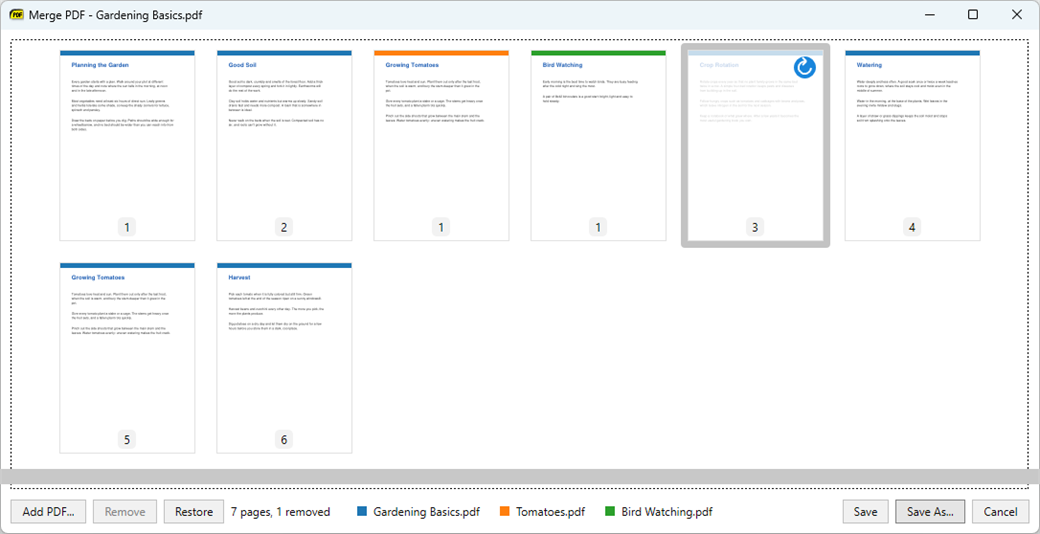
Thumbnails in the sidebar
The sidebar has a Thumbnails view with a thumbnail of every page, also for documents without bookmarks. Click a thumbnail to go to its page. Open it with View → Show Thumbnails,
CmdToggleThumbnails in the command palette, or the Thumbnails icon in a sidebar panel’s header. The view is remembered per document.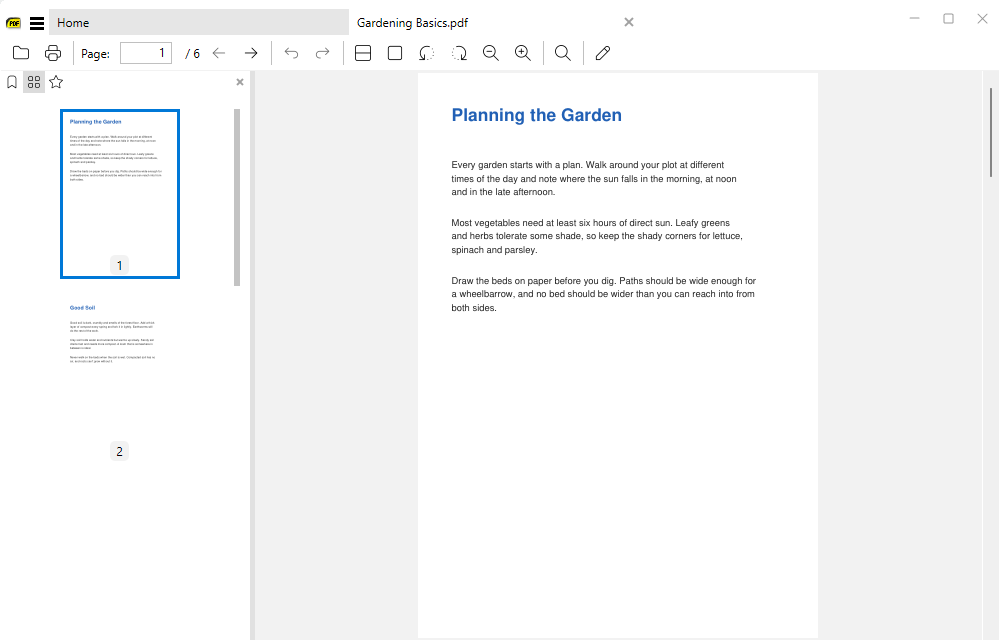
Two sidebar panels
The sidebar has two panels, top and bottom. Each shows Bookmarks, Thumbnails or Favorites, picked with icons in its header (they replace the Bookmarks / Favorites labels). Show Bookmarks, Show Thumbnails and Show Favorites open their view in the first hidden panel, or switch the top one. Picking a view the other panel already shows swaps them. The top panel is remembered per document, the bottom one for all documents (
ShowFavorites, SidebarBottomView).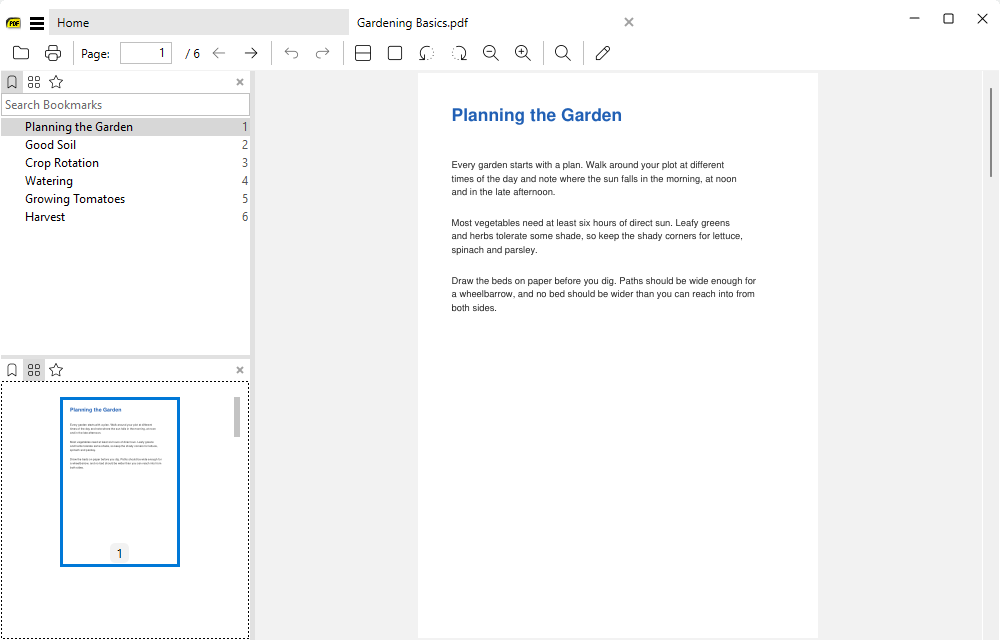
Open DVI files
SumatraPDF opens TeX
.dvi files when a TeX installation with dvipdfmx is present (MiKTeX and TeX Live have it), or when both dvips and Ghostscript are installed. The file is converted to PDF and cached in the SumatraPDF data folder. The cached PDF is reused until the .dvi file changes, and deleted after a week of not being opened.