Rotate, cut, copy and paste pages in Merge PDF
in 3.7 pre-rel
In the Merge PDF window, rotate the selected pages with
[ / ] or right-click → Rotate Left / Rotate Right. Ctrl + X / Ctrl + C / Ctrl + V (and the context menu) move and duplicate pages, and Ctrl + V also adds PDF files copied in Explorer. The status counts the selected pages, and Ctrl + A selects all pages (#6371, #6372).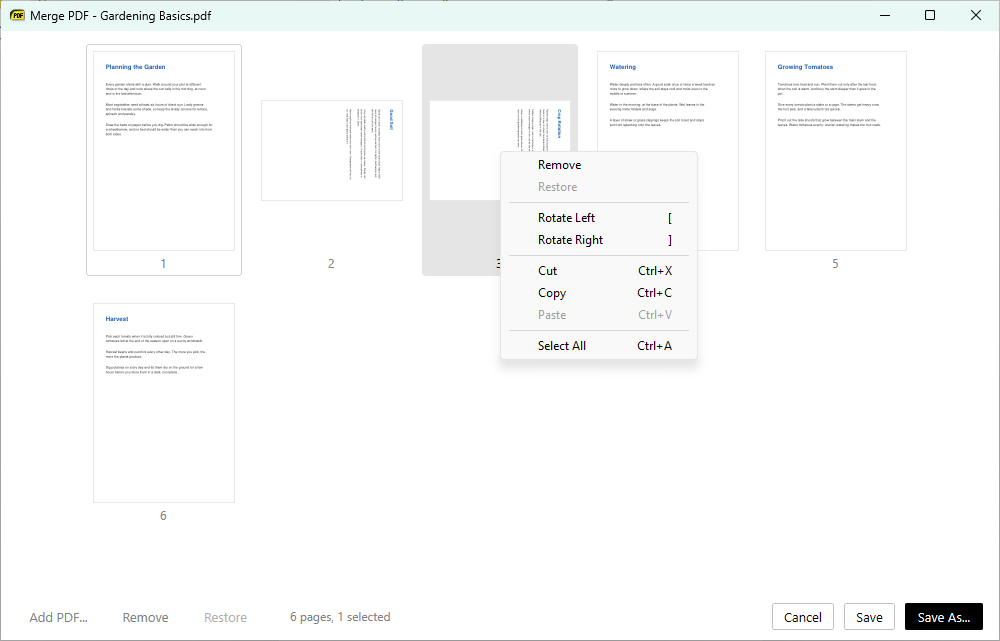
Third sidebar panel
The sidebar can show Bookmarks, Thumbnails and Favorites at once: with
ShowSidebarMiddle = true, a middle panel between the top and bottom ones shows the view neither of them shows. It appears only with both other panels; hiding one of them moves the middle panel’s view there. With two panels showing, Show Bookmarks, Show Thumbnails or Show Favorites fill the middle panel instead of replacing the top one’s view (#6389).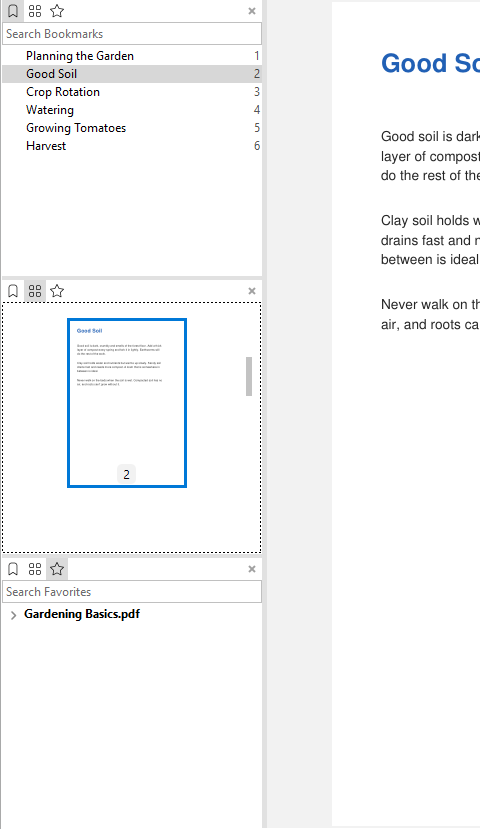
HTML inside Markdown
Raw HTML in Markdown files is shown in the browser view, so tags such as
<span style="color: red"> style the text. Scripts in a document’s HTML don’t run (#6380).Sharper printing on monochrome printers
Pages print without anti-aliasing. At printer resolution it adds nothing, and monochrome printers turned the gray edge pixels into dotted, jagged edges (#6384).