Auto-hide sidebar
in 3.7 pre-rel
View → Auto-hide Sidebar (
CmdToggleSidebarAutoHide, SidebarAutoHide) keeps the bookmarks / favorites sidebar from taking space: it slides over the document when the mouse reaches the window’s left edge (the right one with SidebarOnRight) and hides when the mouse leaves it. Showing it with F12 keeps it up until the keyboard leaves it (#5819).Citation preview follows the theme
In a dark theme, the citation hover preview’s frame takes the theme’s
HotBackgroundColor and its border HotEdgeColor instead of a fixed pale yellow; light themes keep the yellow. The new theme values HoverPreviewBackgroundColor and HoverPreviewEdgeColor override both (#6328).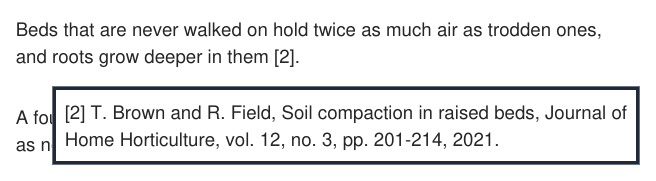
Annotation popup font size (`Annotations.PopupFontSize`)
Annotations.PopupFontSize sets the font size of the card that opens when you click an annotation with a comment, without changing UIFontSize (0, the default, uses UIFontSize) (#6416).Video and audio in EPUB
A video or audio in an EPUB shows its poster image, or a
[video: name] / [audio: name] label, as a link: clicking it opens the media file in the system player, and Save Attachment in the context menu saves it. It used to be blank space (#6421).GIF output in Convert PDF to Images and Save As Image
Convert PDF to Images and Save Selection As Image can also write GIF files (#6422).
Fonts installed for the current user
Fonts installed only for the current user (the Windows default since Windows 10 1809) can now be used as the ebook font (
EBookUI.FontName) and replace fonts that PDFs don’t embed (discussion #6411).