Fit by Orientation zoom
in 3.7 pre-rel
New zoom mode Fit by Orientation (
CmdZoomFitByOrientation, View / Zoom menu). It fits width when the window is wider than tall and fits the whole page when it is taller than wide. It updates when you resize the window or rotate the screen (#702).Smooth auto-scroll and Start Auto-Scroll command
Middle-click auto-scroll is now smooth and allows very slow speeds (#2693). Start Auto-Scroll (
CmdStartAutoScroll, command palette) starts auto-scroll without a middle mouse button, which helps on laptops: move the cursor away from the starting point to scroll, and run the command again or middle-click to stop.Expand TOC to Current Page
Expand TOC to Current Page (
CmdExpandToCurrentPage) is in the Bookmarks sidebar’s right-click menu and the command palette. It opens the table of contents down to the entry for the current page and selects it (#1998).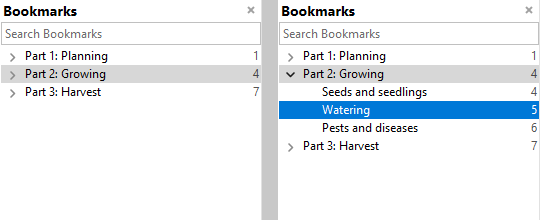
Transparent text selection color
FixedPageUI.SelectionColor accepts an alpha value (#aarrggbb, e.g. #40f5fc0c), so the selection highlight can be more see-through and selected text stays crisp (#3209).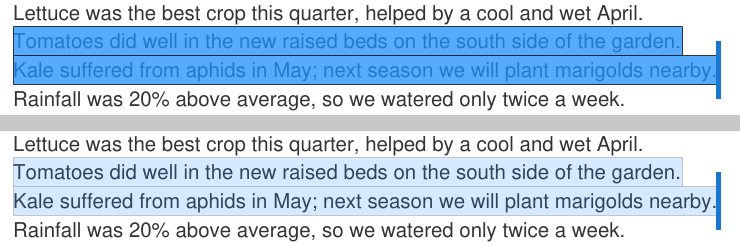
Localized file type names in Explorer
On non-English Windows, file types associated with SumatraPDF show their translated name in Explorer’s “Type” column instead of English names like “PDF File” (#3323).