Overlay toolbar mode
in 3.7 pre-rel
The toolbar can float over the page and appear only when you move the mouse near it, giving the document the full window height. Set it with the new
Toolbar = show | hide | overlay advanced setting. F8 (Toggle Toolbar) now cycles show → overlay → hide (#5746).Toolbar at the bottom of the window
The toolbar can be placed at the bottom of the window instead of the top with the new
ToolbarPosition = top | bottom advanced setting (works with both normal and overlay toolbar) (#5747).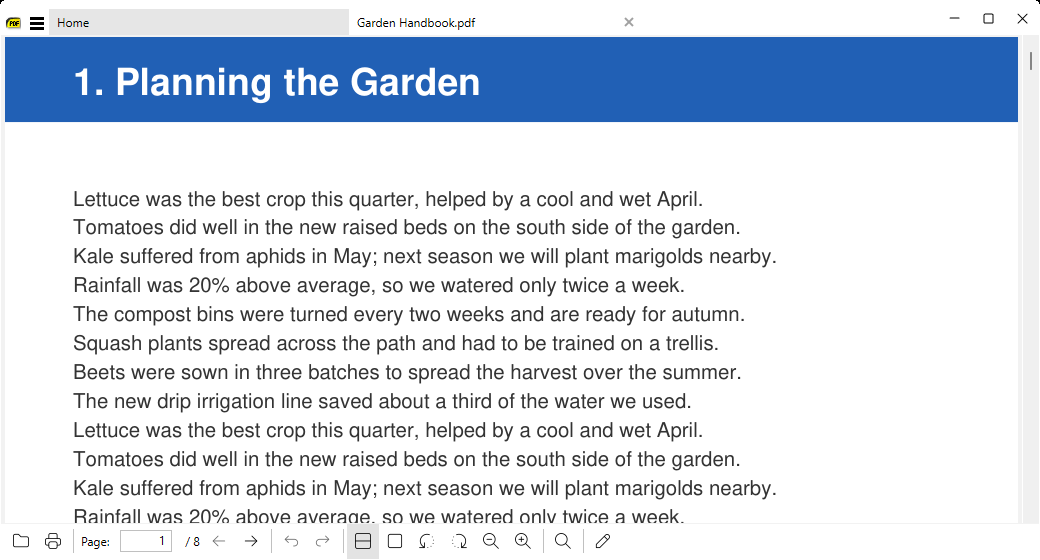
New built-in DjVu engine
DjVu documents are rendered by a new built-in decoder (djvudec), which replaces libdjvu.
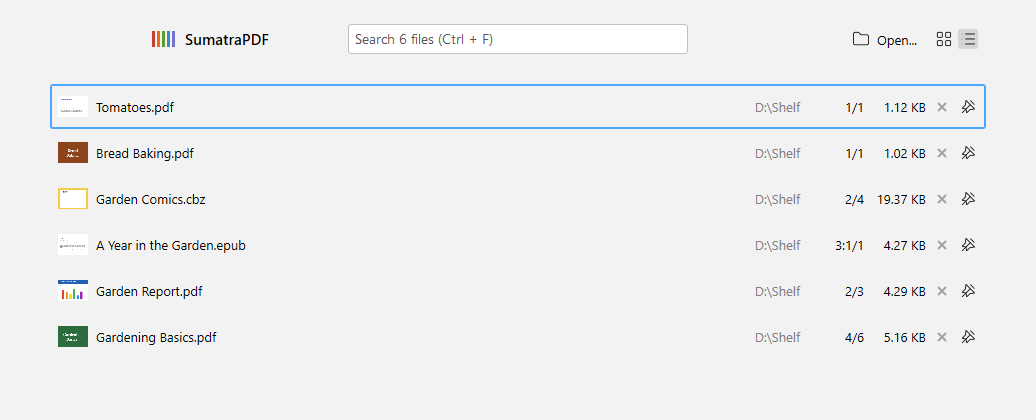
List view for recently opened documents on the home page
The home page document history can be shown as a list instead of thumbnails. Use the toggle buttons next to the header or the
HomePageViewMode = thumbnails | list advanced setting. Each row shows a small preview, file name, folder, file size, and remove/pin buttons (#4909). Thumbnail and row tooltips now also show the file size.