Light/dark theme toggle and a theme that follows Windows
in 3.7 pre-rel
Toggle Light/Dark Theme (
CmdToggleLightDarkTheme, in the Ctrl + K command palette) switches between the light and dark themes you used last. Those themes are remembered in LastLightTheme / LastDarkTheme. Setting Theme = System makes SumatraPDF follow the Windows light/dark app mode and switch automatically when Windows does.Change Theme dialog
The new Change Theme… command (” commands no longer appear in the command palette, but they are still in the Settings menu.
CmdChangeTheme) opens a dialog that lists all themes and previews your choice live. Change keeps the theme, and Cancel or Esc goes back to the previous one. The dialog also has a drop-down for how document colors follow the theme. The separate “Set theme 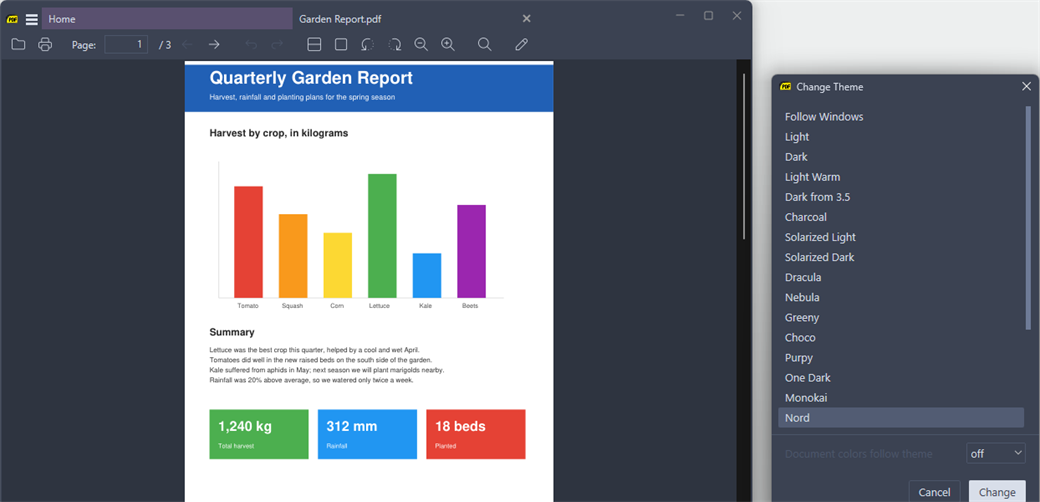
Smarter dark mode for documents
When pages are shown in dark colors, photos and artwork now keep their original colors instead of being inverted. Choose the behavior with the
DocumentColorsFollowTheme advanced setting or in the Change Theme dialog. The options are off (original page colors, the default), smart (recolor text and background but not images) and legacy (recolor everything, as in 3.6). Invert Colors (Shift + I) swaps the page colors for the current session, whatever this setting is. Toggle Preserve PDF Image Colors in Dark Mode (CmdTogglePreservePdfImages) turns image preservation on or off for the current session. This works for PDF, XPS, EPUB, MOBI, FB2 and other MuPDF documents, and for DjVu. It was ported from the SumatraPDF Plus fork.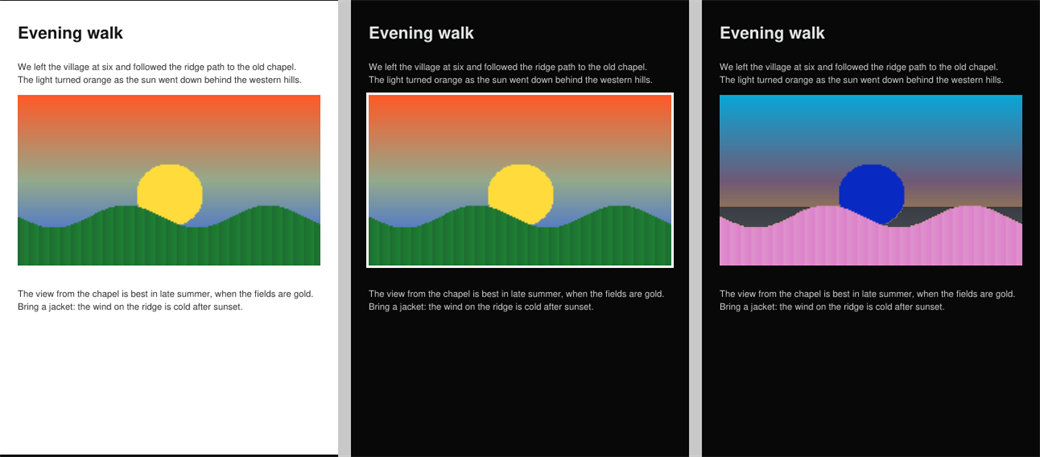
Light Warm theme
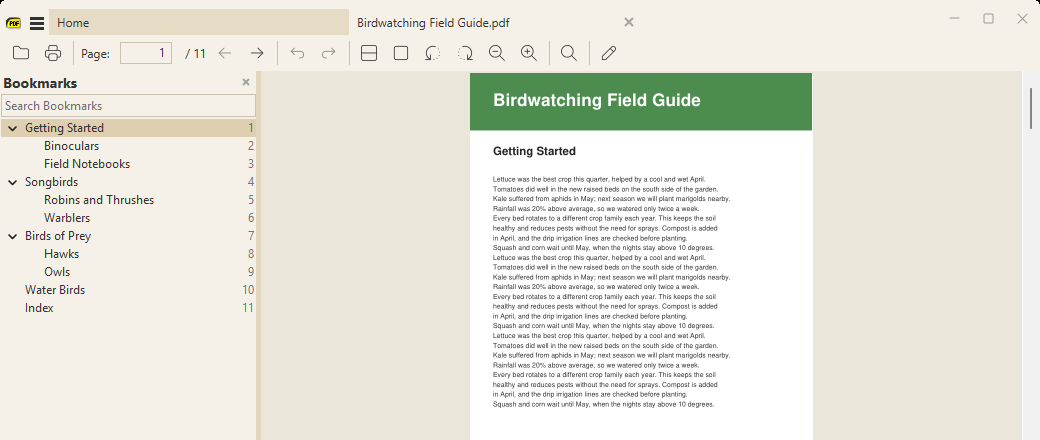
New built-in Light Warm theme: warm, paper-like window colors that are easier on the eyes. It was ported from the SumatraPDF Plus fork.
Windows 11 style title bar buttons
The minimize, maximize/restore and close buttons in the title bar now use Windows 11 style rounded icons that scale with DPI.

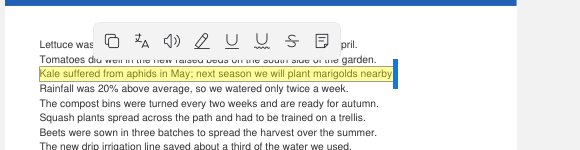
Translate button in the selection toolbar
The floating selection toolbar has a new Translate button after Copy. It translates the selected text.
Home page list view shows folders
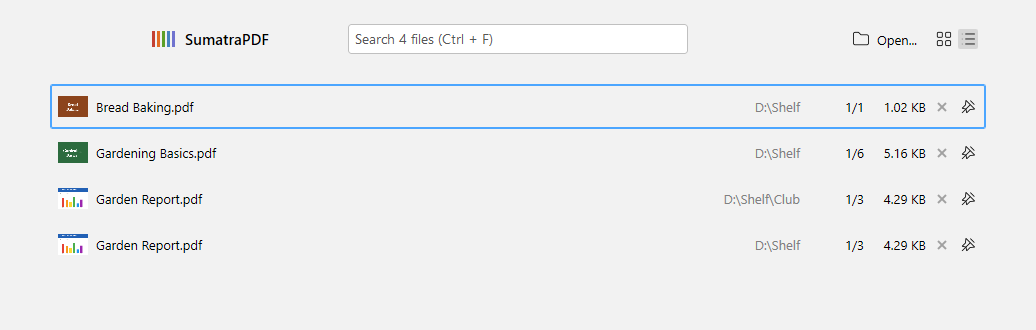
In the home page list view, each row now shows the file’s folder, right-aligned in a muted color, so files with the same name from different folders are easy to tell apart. The view is chosen with the new
HomePageViewMode = thumbnails | list advanced setting.