eBook Settings dialog
in 3.7 pre-rel
The new Change eBook Settings command (
CmdChangeEbookSettings) opens a dialog for the font, size, margin and line spacing of a reflowable document. It shows the CSS these settings produce and lets you edit that CSS directly. Settings can apply to the current document only or to all ebooks. They are saved per document in FileStates (#4600).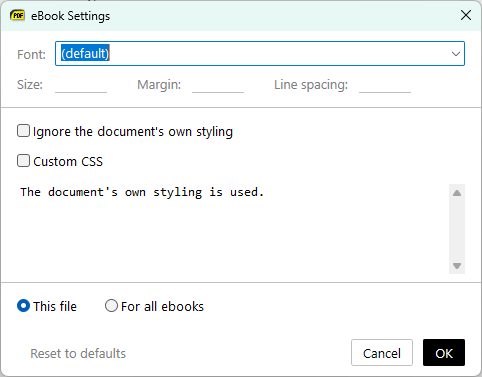
Ebook margins and font override
The new
EBookUI.Margin setting controls the white space around ebook text, written like a CSS margin (0 gives the text the whole page). EBookUI.FontName now overrides the document’s font even when the book sets fonts inline. Font names are matched by their Windows family name, and you get a notification if a font can’t be loaded (#4600).Default zoom for comics
ComicBookUI.DefaultZoom sets the zoom used when you first open a comic archive. For example, fit width makes new comics fill the window while PDFs stay at Fit Page (#5946).Non-default advanced settings listed first
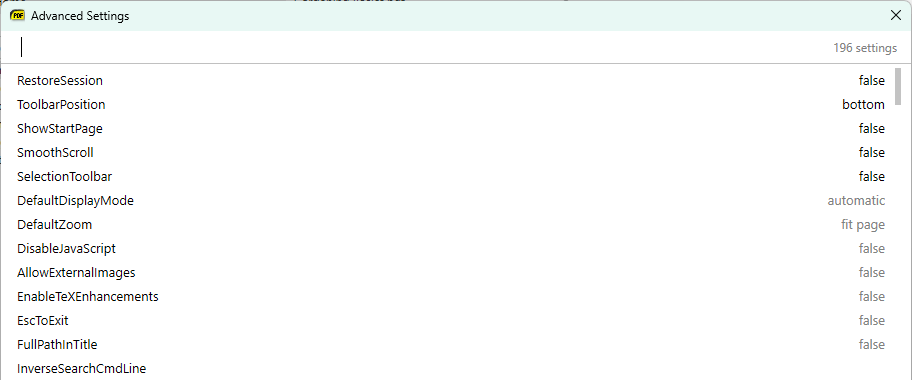
The Advanced Settings dialog lists the settings you have changed from their defaults at the top.
-window-pos command-line option
-window-pos <width>x<height>@<x>x<y> (for example 960x540@960x0) opens the window at the given size and position.