Quick Look preview from File Explorer
in 3.7 pre-rel
Select a file in File Explorer (or on the desktop) and press Space to preview it in a popup, like macOS Quick Look. Esc or Space closes the preview, and Left / Right show the previous / next file in the folder. Turn it on with the
ExplorerQuickLook advanced setting. The new command-line options -quicklook and -quicklook-agent support this feature (#2568).Vimium-style keyboard link hints
Shift + F (Follow Link With Keyboard, CmdToggleKeyboardLinkFollowing) labels the links visible on screen with letter hints, like the Vimium browser extension. Type a hint to follow its link, whether it goes to a place in the document or to a URL. Press Shift + F again or Esc to leave this mode (#2629).Uniform Page Width
Uniform Page Width in the View menu (
CmdToggleUniformPageWidth) shows pages of different sizes at the same width at percentage zoom levels, using page 1 as the reference. The choice is remembered for each document (#5512).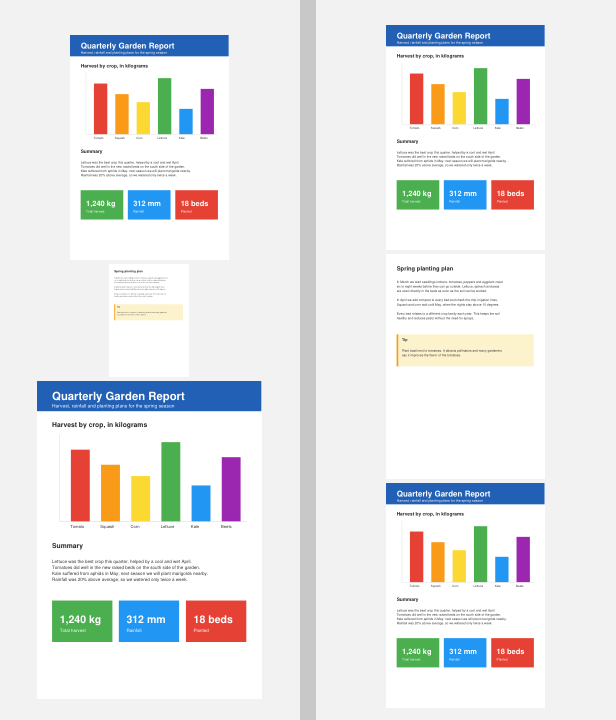
Landscape comic pages shown as spreads
In facing and book view, a landscape comic or image page (wider than it is tall) now takes up the whole two-page row, so a double-page spread stored as one image looks like a centerfold. Turn it off with
ComicBookUI.LandscapeAsSpread = false or ImageUI.LandscapeAsSpread = false (#1324, #872).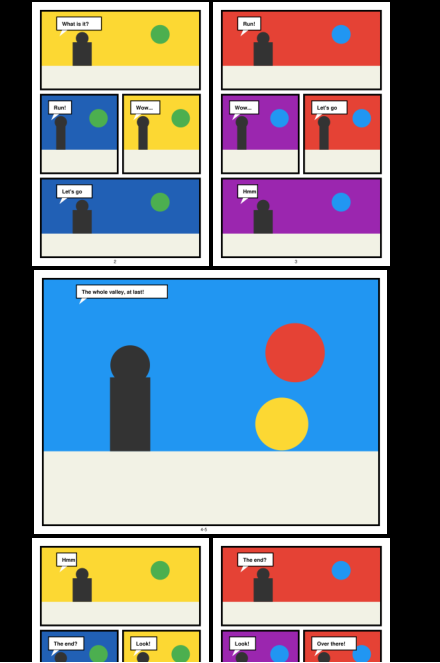
Table of contents from numbered headings
If a PDF has no outline, the Bookmarks sidebar can be filled from numbered headings in the text (
I. Introduction, 1.2 Title, and so on), so you can jump around papers and reports that never stored a table of contents (#5724). Use Generate Table Of Contents (CmdAutoGenerateTOC) in the command palette, or set AutoGenerateTOC = true to do it whenever a PDF is opened.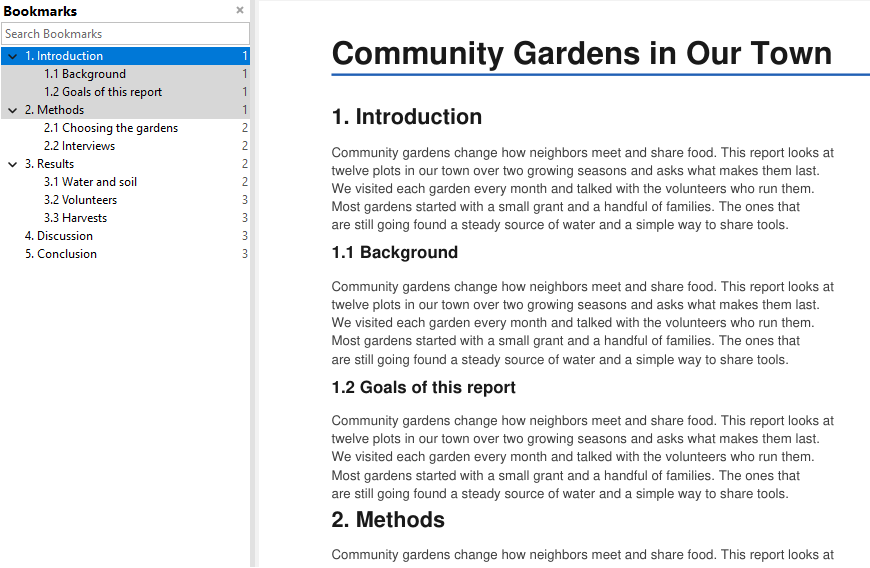
Follow Windows theme option
The Change Theme dialog has a Follow Windows option. With it on, SumatraPDF switches between light and dark automatically when Windows does (same as
Theme = System) (#5995).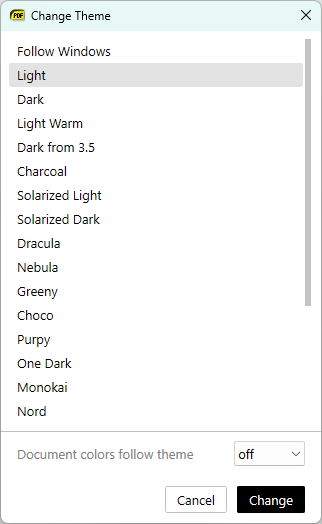
Favorites remember scroll position
When you jump to a favorite, you now return to where you were scrolled on that page, not just to the top of the page (#4986).
Smooth arrow-key scrolling
When
SmoothScroll is on (the default), arrow-key line scrolling now animates smoothly, like mouse-wheel scrolling (#4662).Altium schematic component popups
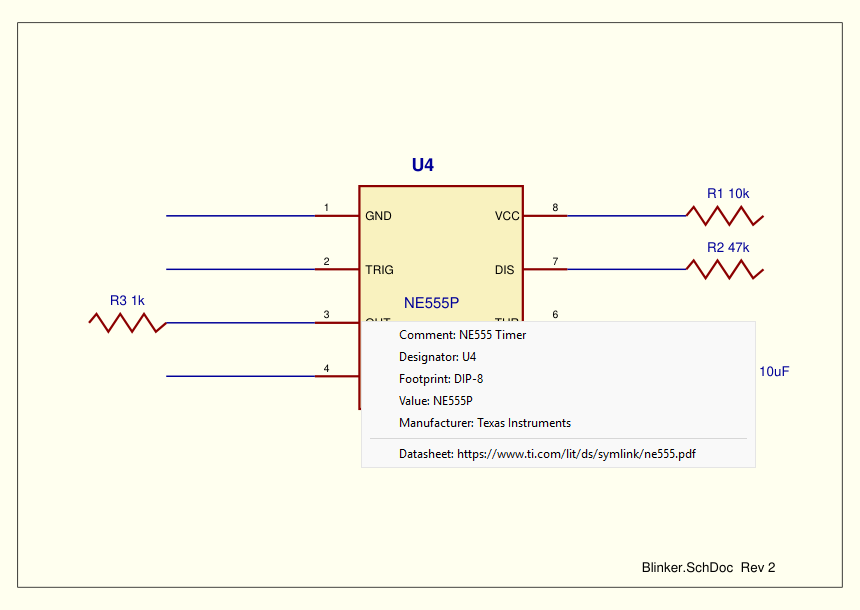
Clicking a component in an Altium Designer schematic PDF shows a popup with the part’s properties (comment, footprint, value, and so on). Lines that contain URLs can be opened. These hotspots use Acrobat JavaScript and did nothing before (#1198).
Form-field tooltips
Hovering over a PDF form field now shows its Acrobat tooltip (the
/TU text), if the field has one (#2083).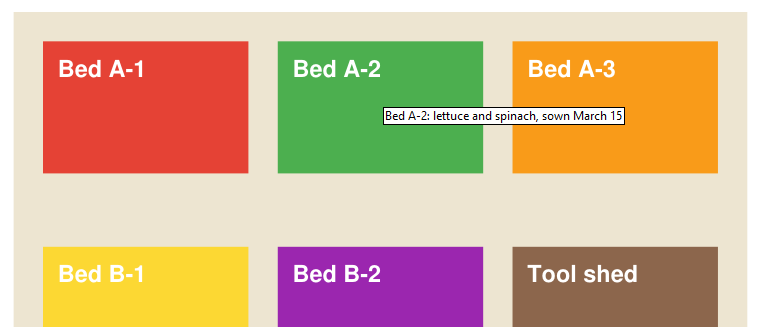
Better reading of manga and fixed-layout books
Page dimensions in points
Document Properties shows page dimensions in points (72 per inch), not in engine pixels (#5992).
OneNote and Outlook PDFs no longer locked
PDFs opened from OneNote or Outlook cache folders are copied before they open, so the original file stays unlocked and OneNote can sync the section (#4705). Comic archives of 32 MB or less on network drives are loaded into memory instead of being copied to a local cache.
Remote Desktop DPI changes
When you connect over Remote Desktop at a different display scale, the toolbar, title bar, bookmarks and menus now resize to the new DPI without a restart (#4581).