Advanced Settings warns about unsaved edits
in 3.7 pre-rel
Advanced Settings shows Unsaved changes: n in its footer when you have edited values but not saved them yet, and Esc no longer closes the window and throws those edits away (#6012). You can now also edit compact values such as
FixedPageUI.PageSpacing and ComicBookUI.PageSpacing (written as 4 4), and open documents update right away without a restart (#6018).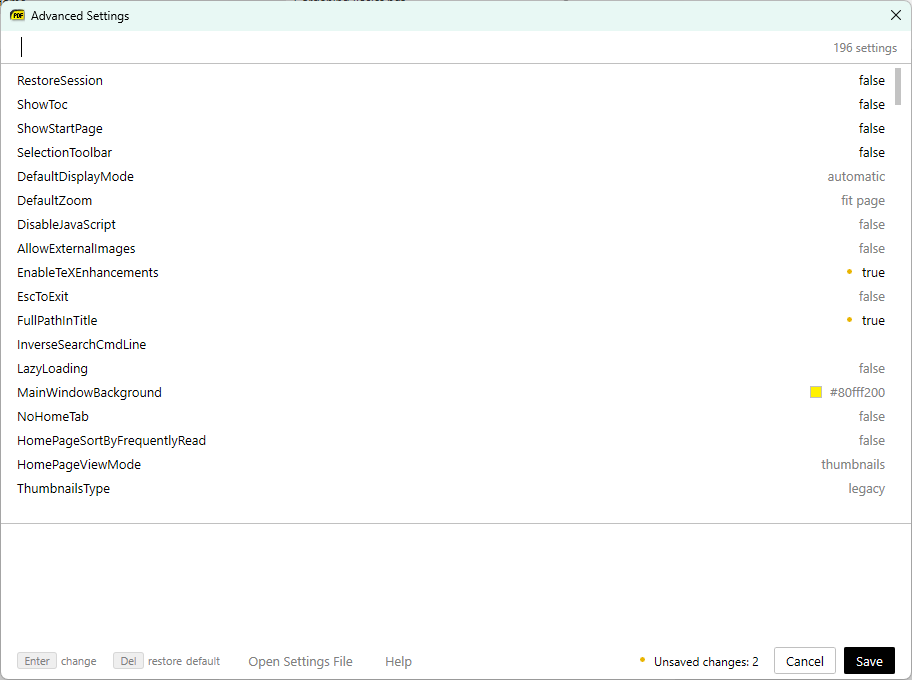
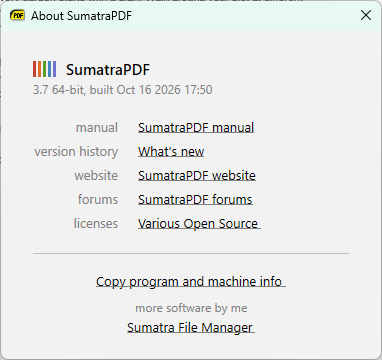
Copy program and machine info from About
The About window has a Copy program and machine info link. It copies the version, build date, OS, 32⁄64-bit, WebView2, memory and other details that are useful in a bug report (#6008).
Build date in update notification
The “update available” notification now shows when the new build was made, e.g. Version 3.7.21539 available (built on 2026-08-21).
Help: Manual remembers its position
Help: Manual (F1) opens next to the main window, on the side with more room. It remembers its position and size between sessions and stays on screen after you change the resolution or monitors (#6013).