Windows 11 print dialog with print preview
in 3.7 pre-rel
On Windows 11, Print (
Ctrl + P) opens the modern Windows print dialog with a live preview of the pages. SumatraPDF’s own print options, such as centering the page and rotating the printout, are in that dialog as well. Older Windows versions, printing a selection, and command-line printing still use the classic dialog.Search with Google Lens
A new context-menu command sends an image to Google Lens for a visual search. Depending on where you right-click, it searches the image under the cursor, the current selection or the whole page (
CmdSearchGoogleLens).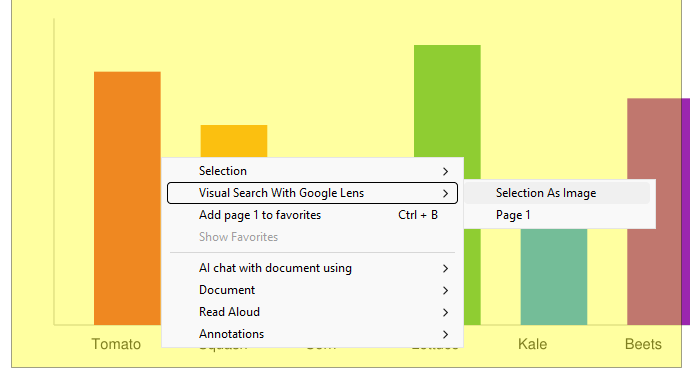
Navigate Thumbnails
Navigate Thumbnails (View menu, command palette,
CmdNavigateThumbnail) shows every page of the document as a thumbnail grid in the command palette (the & mode). Thumbnails fill in as they are rendered. Use the arrow keys or the mouse to choose a page, then double-click or press Enter to open it, or Esc to close the grid.F1 toggles the Manual
Pressing F1 again closes the documentation window, the same way ? toggles the keyboard shortcuts window (#6084).