Convert EPUB to PDF
in 3.7 pre-rel
Convert EPUB to PDF… (
CmdConvertEpubToPdf, document context menu → Document, command palette; EPUB only) lays the book out at a page size (A5, A4, A6, Letter) and font size you pick, saves a PDF that keeps selectable, searchable text, and opens it.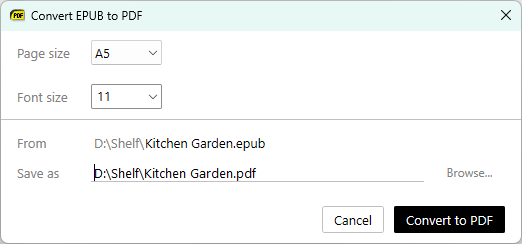
Separate installer options for Explorer previews and thumbnails
The installer has separate options for File Explorer previews (the preview pane) and thumbnails, so another app such as SageThumbs can make the thumbnails while SumatraPDF shows the preview pane. An update keeps a handler another app registered in place of SumatraPDF’s, and uninstalling removes only SumatraPDF’s own.
-with-preview now installs only the preview pane handler; -with-thumbnails installs the thumbnails (#6442).Left drag selects text instead of panning (`DisableLeftDragPan`)
With the new
DisableLeftDragPan advanced setting (false by default), a left drag where there is no text selects text instead of panning the page. Shift + left drag, right drag and the scrollbars still pan (#6444).PDF tools work on password-protected PDFs
Compress, Decompress, Bake, Delete / Extract Pages, Extract Text, Merge, PDF Info and Decrypt PDF now work on password-protected PDFs, including ones unlocked with a key remembered in the file history. The output keeps the original encryption; only Decrypt PDF removes it, and it shows a warning notification when it can’t.