OFD documents
in 3.7 pre-rel
OFD (
.ofd) documents, the Chinese fixed-layout format used for e-invoices, open natively, including templates, annotations, links, attachments, signature seals, password-encrypted packages and packages of several documents (one bookmark per document). Signatures (SM2 / SM3 seals and GB/T 35275) and integrity protection are checked and shown in the signature bar and the Signatures view; a signer is trusted when its certificate chains to a Windows trusted root or to a certificate in the new OfdTrustedCertificates setting. Convert to PDF keeps OFD text and vector graphics, and Convert to Images works for OFD. The installer registers .ofd in Open With and adds File Explorer previews and thumbnails for it (#1909).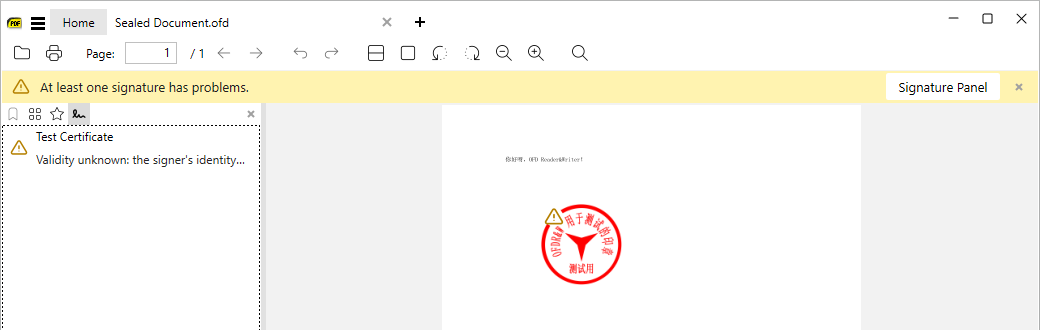
PDF layers
The sidebar’s new Layers view lists a PDF’s layers (optional content groups); click one, or press
Space, to show or hide it. Groups, radio-button layers and locked layers work as the PDF defines them, and printing prints the layers shown. Your changes are remembered per document (LayerStates). Toggle Layers (CmdToggleLayers, command palette) opens the view (#6486).Mirror Pages
View → Mirror Pages (
CmdToggleMirror) shows the pages flipped left to right, for reversed scans and drawings. Selection, links and annotations work where you see them, printing prints mirrored, and it’s remembered per document (#6221).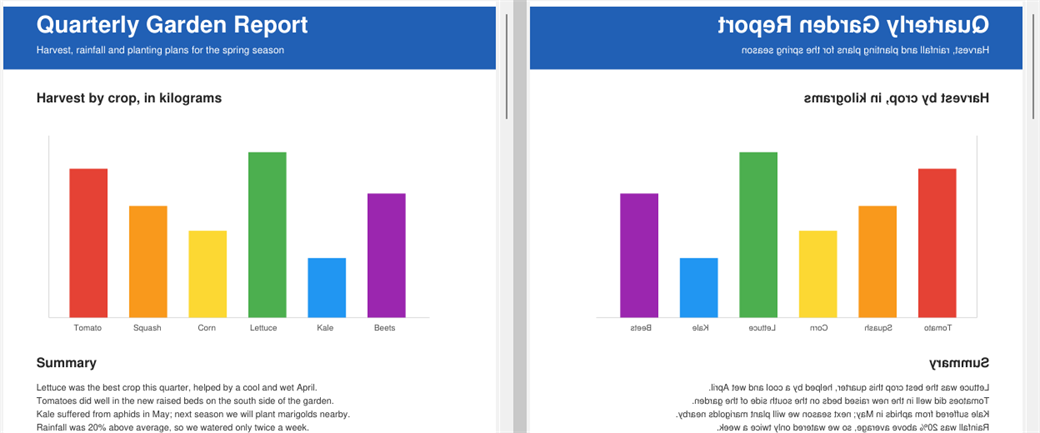
Facing view that moves one page at a time
Toggle Facing: Step One Page (
CmdToggleFacingStepOne, command palette): Facing and Book View move one page at a time, pages 1-2, then 2-3, then 3-4, so the end of one page stays in view while you turn to the next (sheet music). It’s remembered per document (FacingStepOne) (#6487).Page info as a bar
Set
PageInfoLocation to bottom (a row under the document) or bottom-overlay (over its bottom edge) and i shows a bar with the file on the left (format, size, pages, title, camera) and the page on the right (page size, pixels and DPI, image name, zoom), depending on the document (#6494).
Percent read in page info
The page info tip (
i) shows the percent read, Page: 37 / 120 (31%), and in full screen and presentation mode starts with the file name, which nothing else shows there (#6492).Count Words
Count Words (
CmdCountWords, command palette and the selection context menu) shows how many words and characters the selection has or, with nothing selected, the whole document. A long document is counted in the background, with the progress in the notification (#6489).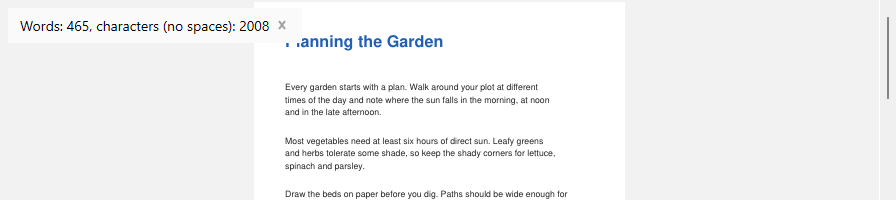
Show Selected Text
Show Selected Text (
CmdShowSelectedText, selection context menu and command palette) shows the selection’s text as the document has it, to check a PDF’s text layer (ligatures, spaces, bad font encodings) without pasting it elsewhere (#6496).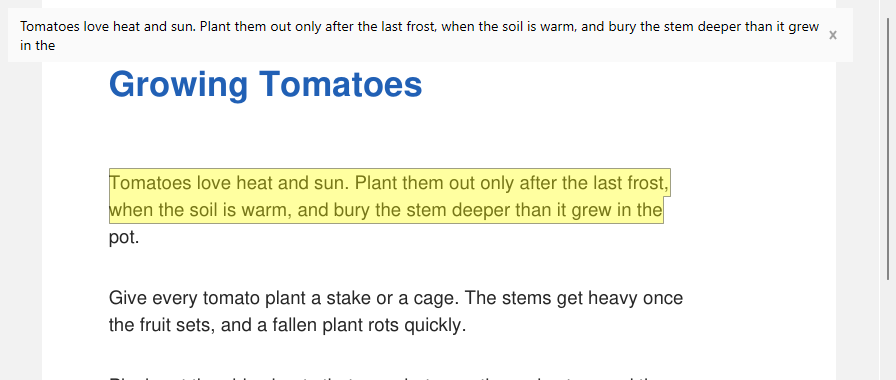
Next and previous chapter
Go To → Next Chapter / Previous Chapter (
CmdGoToNextChapter, CmdGoToPrevChapter) move between the document’s bookmarks (table of contents). Previous from inside a chapter goes to its start. They have no default shortcut: bind one in Shortcuts, including to the media keys. ToolbarCustomLayout can add them as toolbar buttons.Media and browser keys as shortcuts
Shortcut keys can be the media keys (
Media Next, Media Prev, Media Play Pause, Media Stop) and the browser keys (Browser Back, Browser Forward).Read in a narrower column
The
FitWidthPercent advanced setting makes Fit Width fit the pages to that percentage of the window’s width, centered, e.g. 40 to read in the middle of a wide screen (#6497).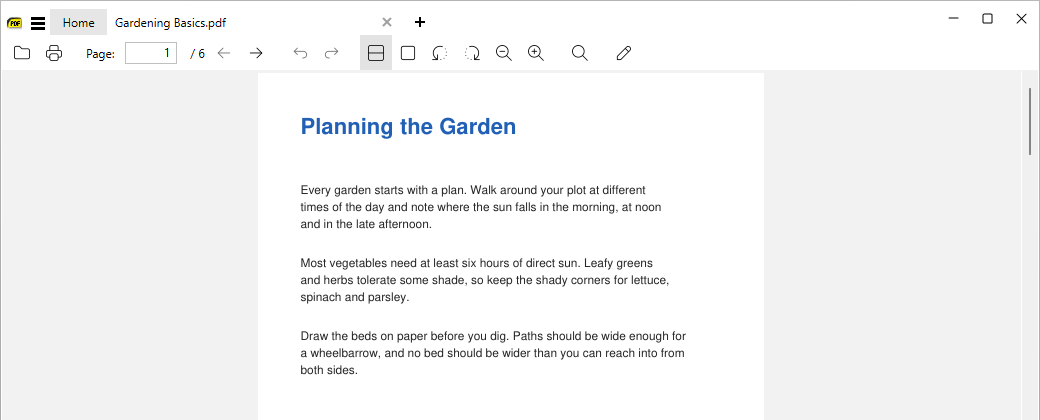
Wrap long bookmarks
The
TocWrapText advanced setting wraps long bookmarks to the sidebar’s width instead of cutting them off, and re-wraps them when you resize the sidebar (#1139).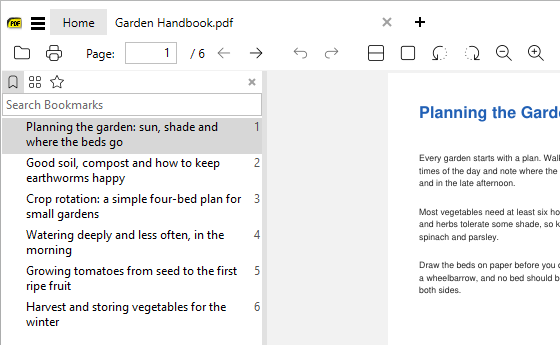
Invert the mouse wheel
The
InvertMouseWheel advanced setting makes the mouse wheel scroll, and with MouseWheelTurnsPage turn pages, the other way, as natural scrolling does. Ctrl + wheel zoom is unchanged (#6493).Minimize Window command
Minimize Window (
CmdMinimizeWindow, command palette) minimizes the window. It has no default shortcut: bind one, e.g. Shift + Esc, in Shortcuts (#6491).Scroll sideways by several steps
CmdScrollLeft / CmdScrollRight take a count, like CmdScrollUp / CmdScrollDown: bind CmdScrollRight 5 to scroll 5 steps per key press (#6490).Duplicate a tab
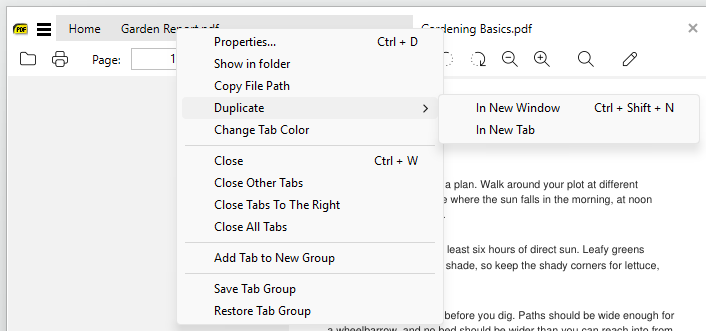
The tab context menu’s Open In New Window is now a Duplicate submenu with In New Window and In New Tab; both open the right-clicked tab’s document at the same view.