Trim Pages To Selection
in 3.7 pre-rel
View → Trim Pages To Selection (
CmdTrimPagesToSelection, also in the selection context menu) shows on every page only the part you selected, e.g. to cut off the borders, headers and page numbers of a scanned book. View → Show Whole Pages (CmdShowWholePages) undoes it. It’s remembered per document (UserCrop) (#3585).Measure drawings
View → Measure (
CmdMeasure) measures drawings: length (with its x and y), rectangular area, the radius of an arc from three points on it, and guide lines across the page. Calibrate it by clicking a known length and typing its real size (2*50 works) and unit; the scale is remembered per document (MeasurementScale, MeasurementUnit). Measurements stay on the page, labeled, until Clear, and keep their place when you zoom, scroll or rotate; right-drag pans between clicks. Clicks snap to the ends of lines in the drawing (Snap to lines in the drawing). Ctrl + click deletes a measurement, Esc cancels the one being drawn (#750).Read Columns
View → Read Columns (
CmdToggleReadColumns) reads two-column pages (papers, journals) in order: one column fills the window, and scrolling goes down the left column, then the right one, then on to the next page. Keys, the mouse wheel and Automatically Scroll follow the columns, in continuous or single page view. The gutter is found from the page’s text, so unequal columns work. Read Columns: Show Whole Page (CmdToggleColumnsWholePage) shows a table or figure that spans both columns, and goes back. It’s remembered per document (ReadColumns).Replace an image in a PDF
An image in a PDF can be replaced: right-click it, Selected Image → Replace Image… (
CmdReplaceImage) picks another image file, and Edit Image in Another App (CmdEditImageExternally) opens it in Paint (or your PNG editor) and puts every saved edit back into the PDF. Each replacement is one undo step; save the PDF to keep it.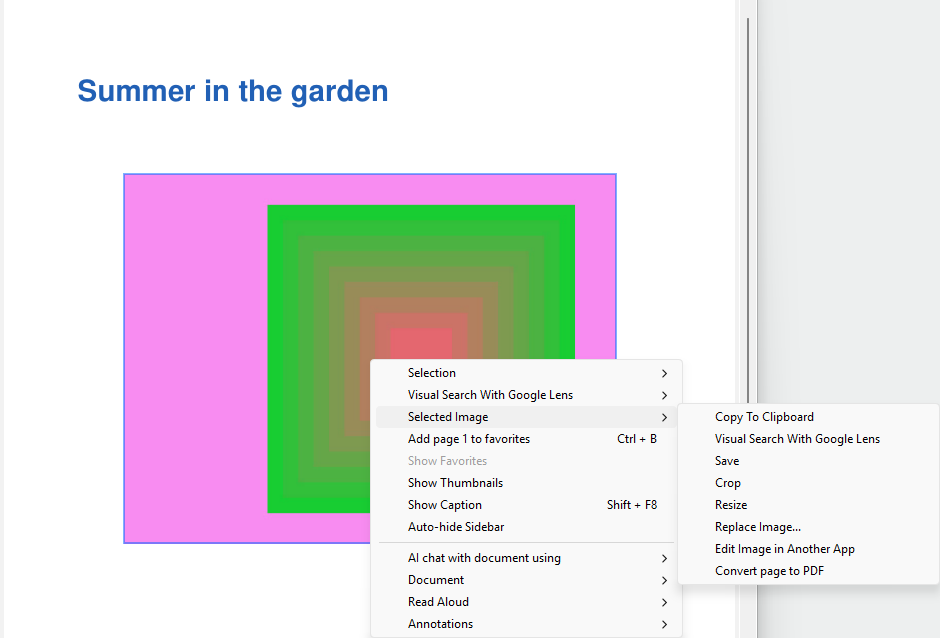
Automatically Scroll: time left and timer
Automatically Scroll shows the time left to the end of the document on its bar. The speed goes from 1 to 320 pixels per second and is remembered per document, and in
ReadingAutoScrollSpeed for other documents. ReadingAutoScrollMinutes pauses scrolling after that many minutes, and minimizing the window pauses it too (#6482).
Synced tab groups
The Save Tab Group dialog has Keep the group in sync with this window’s tabs, which makes a live group (
AutoSync): the window it is saved from or restored into keeps it up to date as tabs are opened and closed. The lists mark it synced; other groups stay the snapshot they were saved as.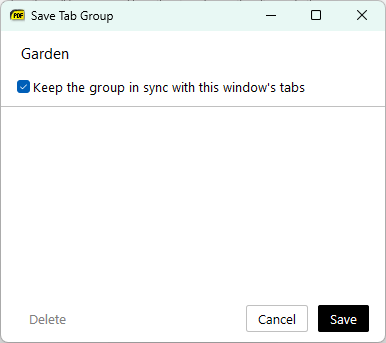
Reopen a closed window
Ctrl + Shift + T (Reopen Last Closed) after closing a window with several documents reopens all of them in a new window, in their tab order, with the same tab selected. Before, closing a window remembered none of its tabs.Toolbar wraps in narrow windows
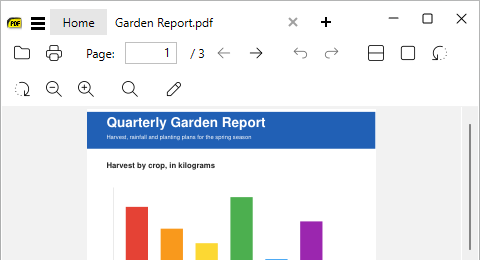
In a window too narrow for the toolbar, its buttons wrap onto a second row instead of being cut off at the right edge.
Option to not rotate wide pages when printing
Both print dialogs have a Rotate wide pages to fit the paper option. Turn it off to print a page that is wider than it is tall upright on portrait paper. Its default is the new
PrinterDefaults.AutoRotate advanced setting.Debug: Show Downloaded Fonts
Debug: Show Downloaded Fonts (
CmdDebugShowDownloadedFonts, command palette) lists the built-in fonts with their size and whether each is embedded, downloaded or not yet downloaded, and the folder downloads go to. It’s meant for debugging.