Edit favorites
in 3.7 pre-rel
The Add Favorite dialog (
Ctrl + B) lists the existing favorites under their files, with Rename, Delete, Move Up and Move Down. Favorites → Edit Favorites… (CmdEditFavorites, also in the Favorites tree context menu) opens the same list without adding a favorite. Moving a favorite keeps that order from then on, with new favorites added at the end (FavoritesManualOrder); Sort By Name goes back to the automatic order.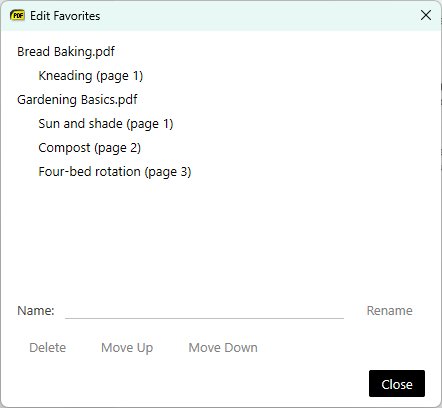
Schematic component popups for KiCad
Clicking a component in a KiCad schematic PDF shows a popup with the part’s properties, like for Altium Designer, and clicking a net shows its name and class (#6503).
Expand and collapse a chapter in bookmarks
The Bookmarks context menu has Expand Chapter / Collapse Chapter (
CmdTocExpandChapter, CmdTocCollapseChapter): they expand or collapse the right-clicked entry and everything under it, leaving other chapters as they are.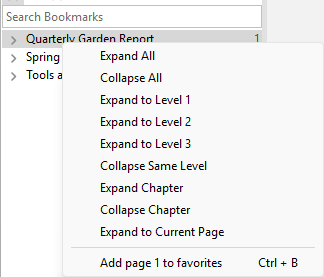
Shortcuts for the mouse side buttons
Shortcuts can use the mouse side buttons,
XButton1 and XButton2, also with modifiers (Ctrl + XButton1). A side button with no shortcut still goes back / forward.Page count in the File Explorer preview pane
The File Explorer preview pane shows the current page and the page count,
3 / 120, in its bottom right corner.Ctrl + T opens a new tab
Ctrl + T adds a new Home tab, like the tab bar’s + button.