Tab groups in the tab bar
in 3.7 pre-rel
Tabs can be grouped in the tab bar, like in Chrome: right-click a tab, Add Tab to New Group. A colored chip marks each group and its tabs get a stripe in its color. Click the chip to collapse the group; right-click it to rename, recolor, ungroup or close it. Drag tabs into and out of a group;
Ctrl + Shift + PageUp / PageDown move a tab out of and into groups, and Ctrl + PageUp / PageDown skip collapsed tabs. Groups are saved with the session (#6560).Show Line Weights
Show Line Weights (
CmdToggleLineWeights, command palette): when turned off, every line is drawn one pixel wide, whatever its width, like Acrobat’s View → Display → Line Weights. It makes dense drawings with thick lines readable. It only affects the screen and is saved as ShowLineWeights (#6567).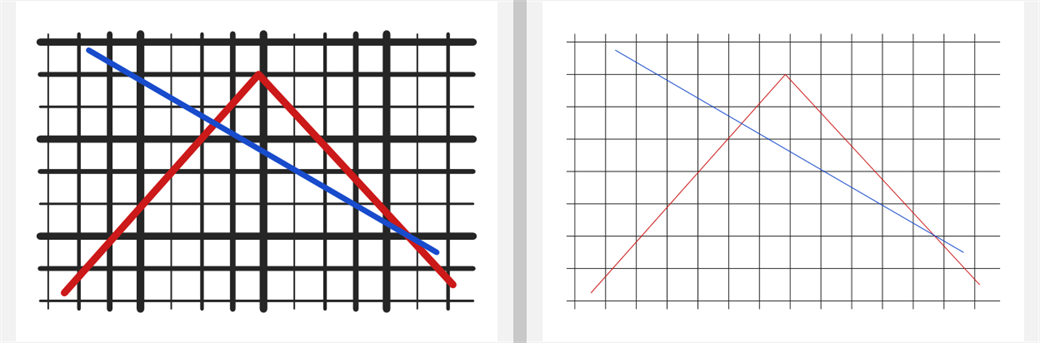
Faster session restore with LazyLoading
With
LazyLoading = true, the files of restored tabs aren’t touched until you select them: no existence check, file size, folder watch or thumbnail, so a session with files on sleeping drives starts without waiting for each drive to spin up. A file that no longer exists is noticed when its tab is selected (#5884).