Add Watermark and Add Page Numbers
in 3.7 pre-rel
Two new PDF tools in the PDF menu. Add Watermark… (
CmdPdfWatermark) writes a copy of the PDF with gray, see-through text across its pages. Add Page Numbers… (CmdPdfAddPageNumbers) writes a copy with page numbers: the text is a format with {n} and {total}, at a position picked from a drop-down. Both take a page range, open the new PDF and leave the shown document as it was. They are hidden for documents that aren’t PDFs.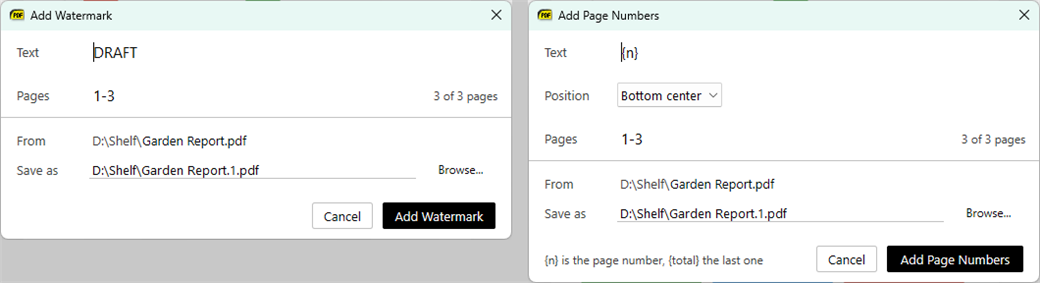
Reading progress bar
The
ReadingProgressBarDy advanced setting shows a thin bar along the bottom of the document with how far into it you are, for every document SumatraPDF draws itself (PDF, EPUB, comics, images, …). The value is the height in points, e.g. 3; 0, the default, means no bar (#6572).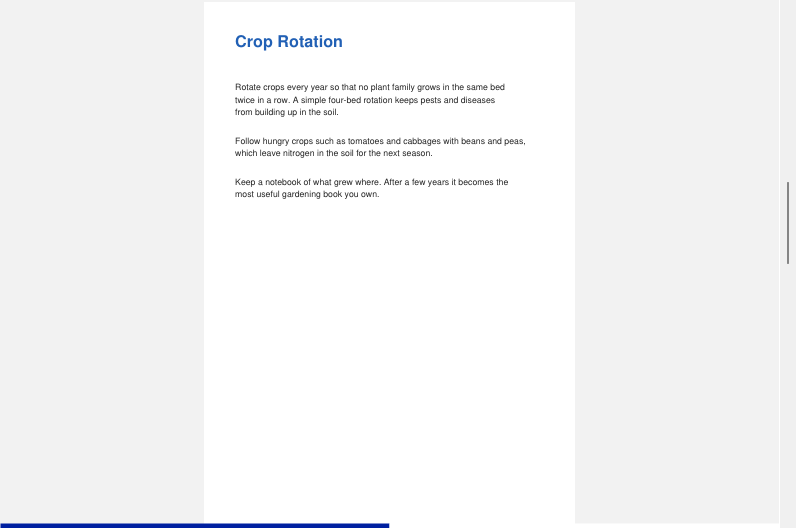
Switch document colors with a shortcut
CmdSetDocumentColorsFollowTheme takes a mode, so a shortcut switches it without the dialog: CmdSetDocumentColorsFollowTheme smart, off, legacy, or toggle to switch between off and smart. Without a mode it opens the dialog, as before (#6575).Close Window command
Close Window (
CmdCloseWindow) closes the window with all its tabs, like its close button. It has no default shortcut on Windows.Start and stop keyboard selection with any key
In keyboard selection (
F7), CmdToggleTextSelecting does what v does, so starting and stopping a selection can be bound to another key (Emacs-style Ctrl + Space). [CmdToggleTextSelecting on] starts selecting at the caret, off stops and keeps the caret where it is (#6570).